Back to Projects
Vivfy

I’m redesigning a Colombian healthcare app in Spanish so reporting a headache or heart rate doesn’t feel like solving a puzzle.

This is a Colombian healthcare project that is still in active development, built for Spanish-speaking users. All examples and flows are in Spanish.

UX/UI DesignUser ResearchUser TestingDesign SystemAccessibilityHealthcare Design

Project roles

UX/UI Designer | Design Consultant

Timeline

Ongoing

Software

Figma, Adobe Creative Suite

I redesigned Vivfy’s Android app and web platform so Spanish-speaking patients in Colombia can report symptoms without feeling overwhelmed, while doctors still get structured, reliable data.

Symptom Tracking

Simplified and Intuitive

  • Redesigned end-to-end user flows for clarity
  • Clearer information hierarchy to reduce cognitive load
  • Consistent visual patterns for better usability

Patient-Doctor Communication

Seamless Data Sharing

  • Structured data presentation for doctors
  • Real-time symptom history access
  • Message and alert system for timely care

Accessible Design System

Healthcare-Focused UI

  • Color palette designed for accessibility and medical context
  • Consistent iconography for improved scannability
  • Refined UI system that builds trust and clarity

How I made it easier to think less

The real problem

Reporting a simple symptom felt way too hard

Vivfy is an Android healthcare app for patients in Colombia, fully in Spanish.

On paper, the flows worked. In reality, they asked people—often elders—to burn way too much brain power just to say “I have a headache.”

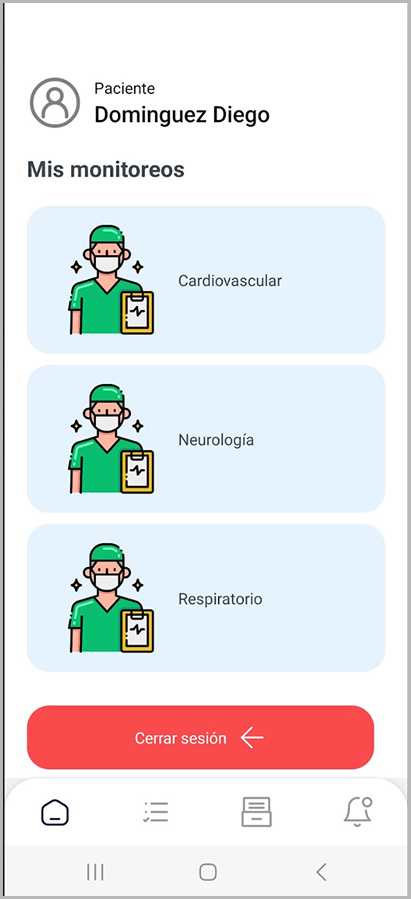
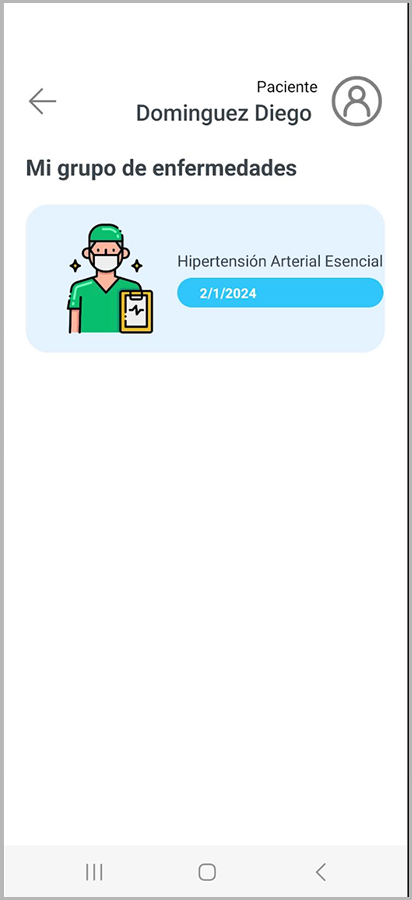
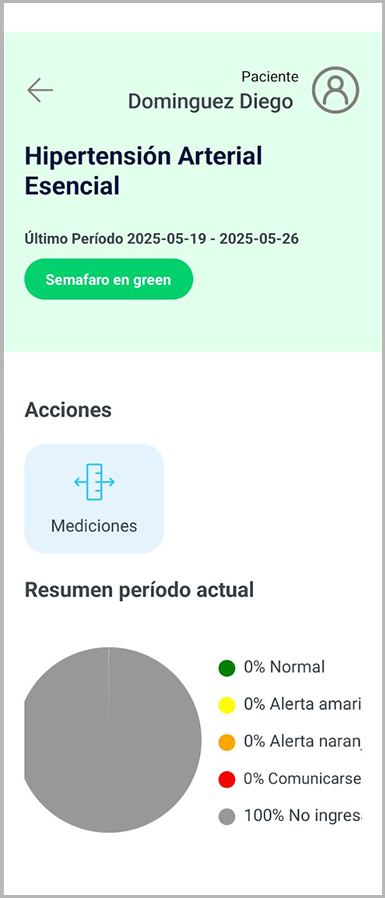
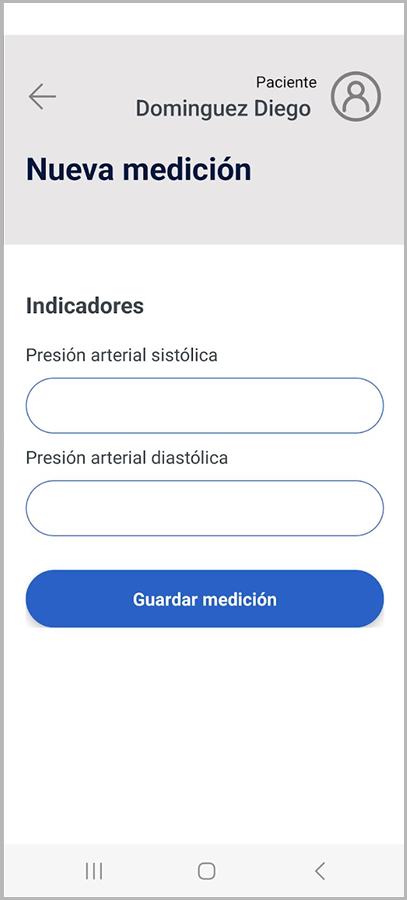
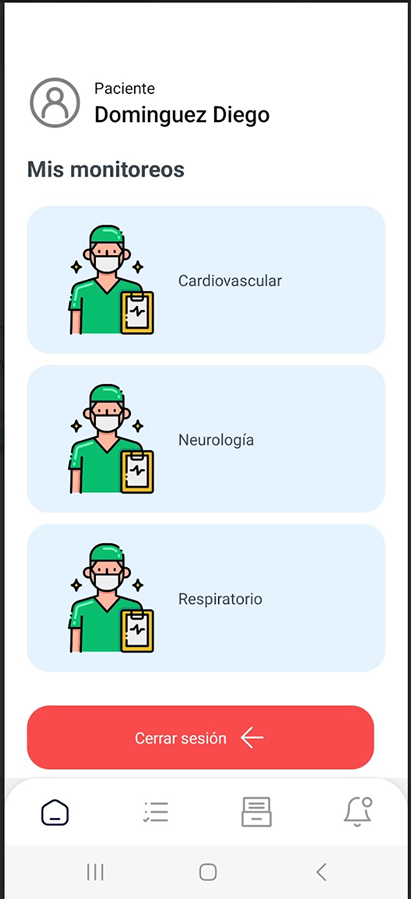
Original Mis Monitoreos list screenOriginal condition detail screenOriginal condition group screen

Quick reality
check

Quick reality check

I watched my grandma try to log a headache

Instead of guessing, I tested the app on my actual target audience: my grandmother.

I asked her to report a headache from the app. No extra instructions. Just: “imagina que te duele la cabeza, repórtalo aquí.”

What I saw

Same icons, confusing charts, too much thinking

All three medical categories—neuro, cardio, respiratory—shared the same generic doctor icon.

Even with labels in Spanish, everything looked the same. You had to stop and read instead of just recognize.

On top of that, a pie chart tried to summarize results, but it only added noise. No one could tell what it actually meant.

  • No visual difference between flows (same SVG everywhere)
  • Patients had to read carefully instead of scan
  • Pie chart looked smart, but didn’t really help anyone decide anything
Original generic doctor icon used across all monitoring flows
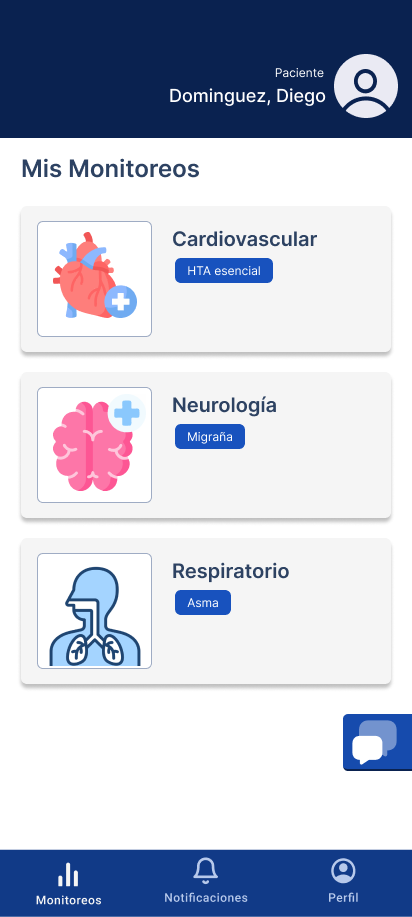
Redesigned condition detail screen with improved clarityRedesigned grouped conditions viewRedesigned Nueva Medición flow

Design decisions

I designed three flows that actually feel different

I leaned on contrast and custom visuals instead of more text.

I drew separate icons/illustrations for neuro, cardio, and respiratory so each flow has its own identity at a glance.

I removed the pie chart and any extra UI that felt “nice to have” but didn’t help real patients make sense of their data.

  • Custom drawings per flow (neuro, cardio, respiratory)
  • Clearer visual separation between categories
  • Fewer decorative elements, more focus on what patients actually need

What I actually built

Deep work on the three medical flows (plus chat and profile)

On mobile, I focused my time on the three main monitoring flows: neurological, respiratory, and cardiovascular.

Each one now has its own way to report conditions that matches the type of data and the person using it.

I also designed the chat with doctors and the patient profile so the whole experience feels connected.

Solo designer,
limited data,
real constraints

Reality of the project

I was the only designer on the team, with very little existing UX research or clean usage data.

User testing was hard—there weren’t many people available, especially in the real target age group.

So I relied on a mix of lightweight tests (like the session with my grandma), product-owner feedback, and my own UX judgment.

Outcome

A calmer, clearer app that the PO was excited about

The new flows are visually clearer and lighter to process—patients don’t have to work as hard to do basic reporting.

Even without a full lab worth of metrics, I had a strong signal: the product owner was genuinely happy with this iteration and pushed it forward.

Vivfy is still in active development, and these UX decisions are shaping how the product grows.

Mis Monitoreos

What I learned from testing Vivfy with real patients

User Interview

Through lightweight tests and observation, I saw that the original experience made symptom tracking feel confusing and slower than it should be. People struggled with similar-looking screens, unclear visuals, and a lack of gentle guidance through the flow.

Findings

  • Unclear navigation and information architecture
  • Visual inconsistency across the app
  • Lack of guidance for symptom tracking
  • Reduced long-term user engagement

Needs

  • Simplified and intuitive symptom tracking flows
  • Clearer information hierarchy
  • Visual consistency throughout the app
  • Better guidance and onboarding

Medical Monitoring Flows

I created dedicated flows for three key areas—neurological, respiratory, and cardiovascular—each with its own way to report conditions and see progress, tuned to the type of data and user.

Neurological

Hover to play

Respiratory

Hover to play

Cardiovascular

Hover to play

As the only designer on a Colombian healthcare product with limited research and few available test users, I had to be intentional about where I spent my effort. I focused on the three most important medical flows and made tough calls about what to remove. That meant saying no to “impressive” visuals like the pie chart when they didn’t really help patients think less.

Vivfy is currently an ongoing project, with the redesigned experience actively shaping development decisions.

Key improvements achieved:

  • Improved clarity and usability for both patients and doctors
  • More modern, trustworthy UI appropriate for healthcare
  • Better information hierarchy reducing cognitive load
  • Consistent visual system and iconography

Through multiple rounds of user testing and iteration, the redesign continues to evolve, ensuring the app meets real user needs while remaining scalable as development progresses.

  • Redesigned end-to-end user flows
  • Accessible color palette and design system
  • Improved user engagement and confidence
  • Structured data presentation for healthcare providers

Before & After

Mis Monitoreos

Wireframe & Prototype

Hi-fi Prototype

Web Wireframe

Android App Wireframe