Back to Projects
Solace

I developed the onboarding, picked the tech stack, and acted as the bridge between designers and developers.

Mobile App DevelopmentAI IntegrationUI/UX DesignUser ResearchPersona DevelopmentWireframingPrototyping

Project roles

Lead Developer | UI/UX Designer | Design-Development Bridge

Timeline

3 Months

Software

Visual Studio Code, Expo, GitHub, Figma

Why Solace needed to exist

1 in 3
Ironworkers report chronic pain
85%
Lack access to recovery tools
70%
Experience mental fatigue

These problems are everywhere on site, and almost no apps are built for this reality. With Solace, I helped build a tool that turns those needs into quick, simple daily checklists instead of another generic wellness app.

Mascot System

Provides Personalized Motivation

  • Character that visually represents physical and mental strain
  • Evolves based on completed exercises and streaks
  • AI-powered speech bubbles for contextual motivation

Personalized Daily Checklist

AI-Generated Recovery Plans

  • AI adapts exercises based on work type and intensity
  • Personalized based on pain areas and recovery needs
  • Quick and efficient daily routines

Exercise Catalogue

Comprehensive Recovery Library

  • Broader library of recovery exercises
  • Accessible beyond the daily checklist
  • Categorized by body part and recovery type

Mental Recovery Tools

Supports Stress Management

  • Breathing exercises for stress relief
  • White noise for mental resilience
  • Guided meditation and relaxation

XP & Streak System

Gamified Engagement

  • Rewards consistency and maintains engagement
  • Visual progression through streaks
  • Strengthens mascot as users progress

How I made Solace feel powerful but safe

Where AI actually lives

I used AI to build checklists, not to give medical advice

In Solace, AI doesn’t tell ironworkers what to do with their bodies.

I used it where it’s safe and useful: collecting what hurts and turning that into a daily recovery checklist pulled from our exercise database.

  • Onboarding: users can speak, type, or multi-select pain areas
  • Home: AI helps update the daily checklist based on that information
  • Under the hood: AI only matches to existing exercises, it never invents treatment
Daily exercises checklist showing stretch, relax, and complete tabs
Multi-select input option for onboarding
AI chat icon for voice input
Typing input option for onboarding

The hardest build

Onboarding had to support three input styles without falling apart

The gnarliest part for me was the onboarding flow.

We wanted to give workers real choice: tap multiple options, type what hurts, or just talk to the app—and still end up with a clean set of data for the checklist.

How I got it to work

I iterated fast between feedback, Figma, and code

I spent most of my time tightening this flow—testing versions, listening to feedback, and turning vague ideas into something we could actually ship.

I worked closely with designers to understand what they wanted the experience to feel like, then coordinated with the devs to split the work so everyone played to their strengths.

  • Translating design ideas into concrete tasks for developers
  • Cutting or simplifying steps when they felt heavy in real use
  • Keeping the onboarding UI consistent even as we changed the logic
XP gain icon representing progress across iterationsIteration checklist illustration
Expo logo representing the chosen mobile framework

Tech decisions

I pushed for Expo + React Native for this team

As lead developer, I advocated for Expo + React Native after talking with our instructors and looking at how complex Solace could become.

It gave us a modern stack, good support for mobile features, and a realistic learning curve for the team.

Being the bridge

I turned ideas into something the team could actually build

In weekly meetings, I was the one asking: “okay, how do we actually build this?”

When someone had a new idea, I would explore how we could implement it, or explain why we needed a simpler version.

I also helped designers keep their Figma files dev-friendly by using shared styles and consistent components so dev mode stayed reliable.

  • Clarifying what’s technically realistic before we commit
  • Suggesting smaller changes when the original idea wasn’t feasible
  • Keeping buttons and patterns consistent so the UI felt cohesive
Click card to flip - Front
Click to flip
Click card to flip - Back
Click to flip

Click card to flip

What I owned

From AI wiring to print materials

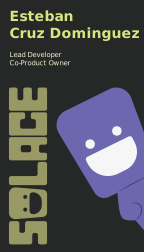
Beyond the app, I also designed and produced the Solace business cards myself to extend the brand into print.

Inside the product, I owned most of the onboarding flow, helped choose our core framework and libraries, and wired the parts of the app that talk to the AI component.

I also pushed for more consistent layouts and removed screens that weren’t pulling their weight.

What ironworkers told us about recovery in the real world

User Interview

A survey and interviews with ironworkers revealed that recovery tools are often generic, time-consuming, or disconnected from real job conditions.

Findings

  • Complex recovery processes without clear guidance
  • Generic solutions that don't address specific job-related strain
  • Time-consuming routines that are hard to maintain after long workdays
  • Lack of motivation to maintain consistent recovery habits

Needs

  • Quick access to personalized recovery guidance
  • Simple, efficient routines tailored to job conditions
  • Motivational tools to maintain consistency
  • Cost-effective recovery solutions
Research Icon

Competitor Research

After initial brainstorming and competitor research, the Solace team discovered several existing wellness apps. However, most platforms provide generic solutions that don't address the specific needs of physically demanding professions. Based on user survey feedback, Solace can stand out by offering personalized AI-driven recovery plans combined with gamification and a supportive mascot system.

User Persona

Primary Persona Image
Click to view full persona

Primary Persona

Frank Kennedy, a 26-year-old ironworker from Vancouver, BC. He wants to keep doing his job without his body or mind breaking down, but doesn't have time for complicated routines or apps that don't understand life on site. He needs quick, practical recovery tools to reduce pain, improve sleep, manage stress, and build healthy habits while avoiding unhealthy coping mechanisms.

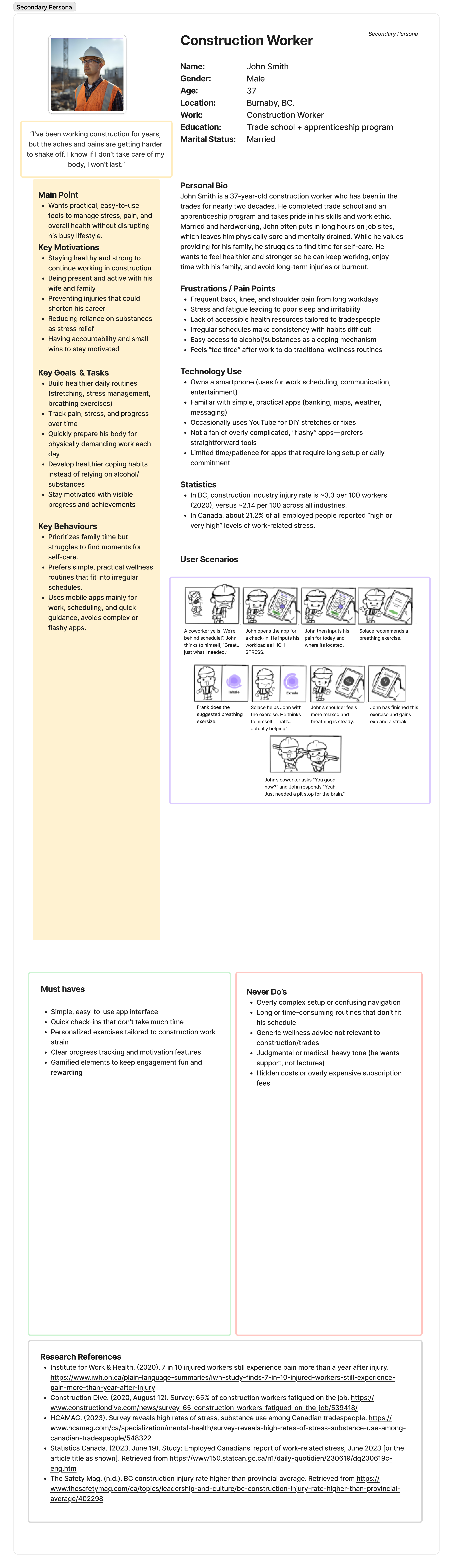
Secondary Persona Image
Click to view full persona

Secondary Persona

John Smith, a 37-year-old construction worker from Burnaby, BC, who is married and has been in the trades for nearly two decades. He struggles with aches and pains that are getting harder to shake off and knows he needs to take care of his body to last in his career. He needs simple, practical wellness tools that fit into his irregular schedule while prioritizing family time. This secondary persona was developed through user research to ensure we addressed the needs of experienced workers in the trades.

Design Process

Site Map

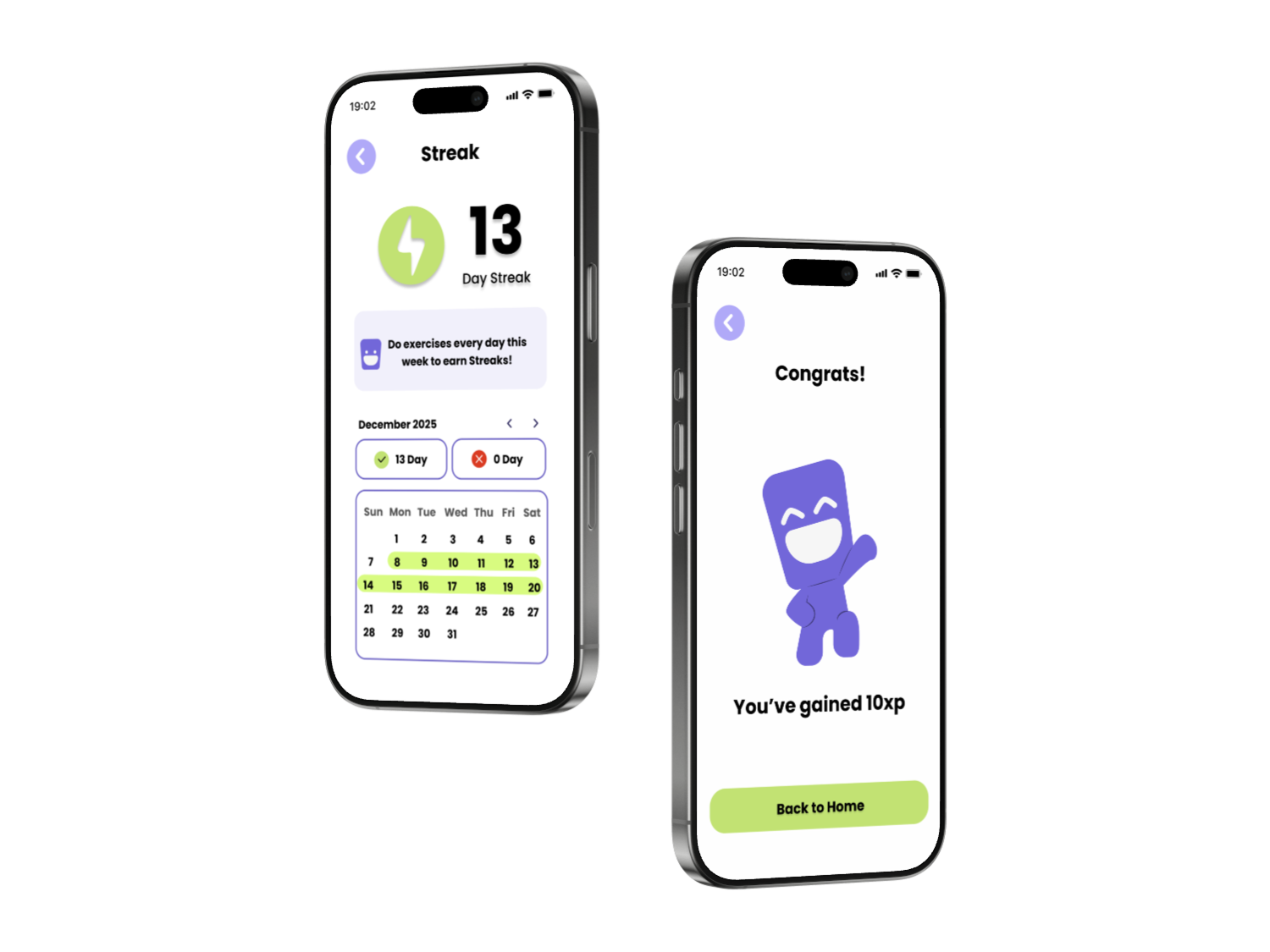
As the bridge between designers and developers, I translated design concepts into functional code while maintaining design integrity. The site map went through many iterations as we refined the user flow based on user testing feedback. We shifted the focus more toward gamification and made the decision to cut out certain features, such as the calendar feature. We also changed the way the streak pages worked to better align with our users' needs and expectations.

Usability Testing

Multiple industry professionals and participants were invited for usability testing.

Major Findings

Navigation Clarity

Some users found the initial navigation confusing, particularly accessing the exercise catalogue.

Mascot Interaction

Users wanted more clarity on how the mascot system works and how it reflects their progress.

Usability Testing Results

Improving User Experience

Modified the navigation structure to ensure that key features are easily accessible and clearly labeled.

Enhancing Mascot Visibility

Improved mascot interactions and made progress indicators more visible and understandable.

Optimizing Onboarding

Streamlined the onboarding flow to better explain key features and how to use the app effectively.

Leading a mixed-skill team while keeping Solace shippable

As lead developer, I made the core framework decision to use Expo and React Native, then had to keep the project realistic for a mixed-skill team. Acting as the bridge between designers and developers meant turning ideas into components and flows we could actually ship, and saying no when something wasn’t technically or time-feasible.

What my work unlocked for Solace

Solace's core values are accessible resources, personalized guidance, supportive features, and gamified engagement.

These values overcome key recovery barriers, such as:

  • Understanding recovery needs and lack of personalized guidance
  • Complex recovery processes without clear structure
  • Lack of motivation to maintain consistent recovery habits

Usability testing refined functionality, accessibility, and design. Solace now provides intuitive features that empower ironworkers to confidently navigate their recovery journey.

  • Personalized AI-driven recovery plans
  • Gamified engagement through XP and streaks
  • Supportive mascot system for motivation
  • Comprehensive exercise library

Promotional Materials

Solace Brochure - Front
Click to flip
Solace Brochure - Back
Click to flip

Solace Brochure

Solace Business Cards - Front
Click to flip
Solace Business Cards - Back
Click to flip

Solace Business Cards

The business cards create a cohesive visual identity that speaks directly to ironworkers, maintaining consistency with the Solace color palette and mascot branding for instant recognition. The brochure uses a clean, modern layout with clear typography and the Solace mascot as a central visual element, developed through collaborative ideation.

Wireframe & Prototype

Wireframe

To ensure an intuitive user experience and a short learning curve, the team designed the main features to be directly accessible from the homepage. From there, users can seamlessly explore different features through dedicated pages.

Hi-fi Prototype